
Free Online Mosaic Generator - Convert Photos to Tile Art
Create beautiful mosaic art from any image in seconds. Our free online mosaic generator lets you customize tile size, shape, spacing, colors, and effects. Export as SVG, PNG, or JPG. Perfect for pixel art, stained glass effects, and creative tile designs.
Loading ...
Mosaic Generator
Convert images to mosaic art instantly. Customize tile size, shape, spacing, colors, and export as SVG, PNG, or JSON.
Image
Export
1x (Original)
Rendering 0 tiles
Drag & Drop your image here
or click "Select Image" on the left
Supports JPG, PNG, WEBP
100% (1:1)
Presets
Settings
Tile & Grout
#FFFFFF
Width
Background
#FFFFFF
Colors
Original
Free Online Mosaic Generator: Transform Photos Into Stunning Tile Art
A mosaic generator is a powerful tool that converts ordinary images into beautiful mosaic artwork made of small tiles. Whether you want to create pixel art, stained glass effects, or modern tile-based designs, our free online mosaic generator makes the process simple, fast, and completely browser-based.
No downloads. No signups. No design experience required. Just upload an image, customize your settings, and export your creation in seconds.
What Is a Mosaic Generator?
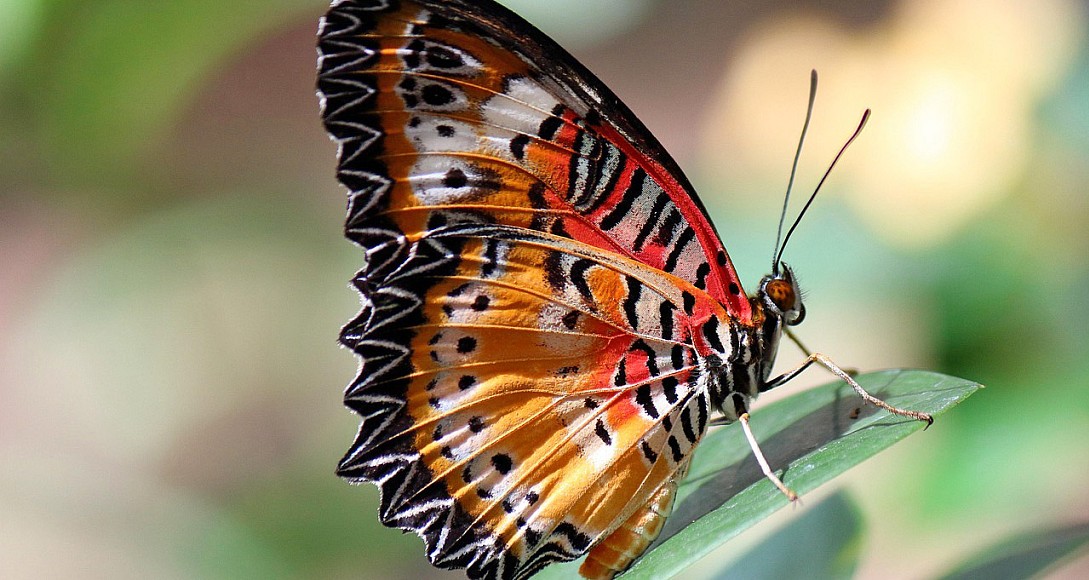
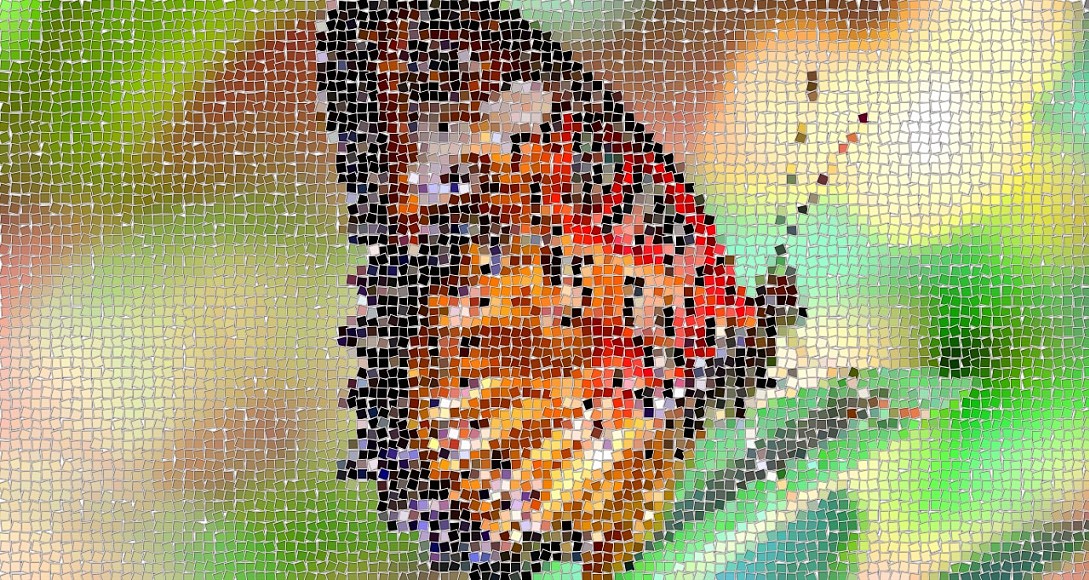
A mosaic generator (also called a mosaic maker or tile mosaic tool) is a digital application that breaks down an image into a grid of colored tiles. Each tile takes on the average color of the pixels beneath it, creating a stylized, artistic version of the original photo.
Think of it like this: Imagine cutting a photograph into thousands of tiny squares, circles, or hexagons, then rearranging them with slight variations in size, rotation, and color. That is exactly what a mosaic generator does, but instantly and with complete creative control.
Traditional mosaic art requires hours of manual labor with real tiles, grout, and adhesives. A digital mosaic generator brings this ancient art form into the modern web browser, letting anyone create professional-quality results in minutes.
Why Use an Online Mosaic Generator?
| Benefit | Description |
|---|---|
| 100% Free | No hidden fees, no premium tiers, no watermarks |
| No Installation | Runs entirely in your browser on any device |
| Privacy First | Images are processed locally and never uploaded to a server |
| Instant Results | Real-time preview as you adjust every setting |
| Multiple Export Formats | Save as SVG, PNG, JPG, or structured JSON data |
| Full Creative Control | Customize every aspect of the final artwork |
Key Features of Our Mosaic Generator
Our tool goes far beyond basic photo-to-mosaic conversion. Here is what makes it stand out from other online mosaic makers:
1. Multiple Tile Shapes
Choose from four distinct tile shapes, each producing a completely different visual style:
- Square Tiles - Classic, clean, and perfect for pixel art
- Circle Tiles - Organic and modern, great for portraits
- Hexagon Tiles - Honeycomb pattern, ideal for geometric designs
- Diamond Tiles - Elegant and artistic, perfect for stained glass effects
2. Advanced Tile Customization
| Setting | What It Does |
|---|---|
| Tile Size | Controls how large each tile is (5 to 100 pixels) |
| Spacing | Adds gaps between tiles for a grout-like appearance |
| Jitter | Randomly offsets tiles for a hand-crafted, organic look |
| Size Variation | Makes tiles different sizes for natural variation |
| Rotation | Tilts individual tiles for a rustic, handmade feel |
| Rounding | Softens tile corners for a polished, modern aesthetic |
3. Professional Color Controls
| Setting | Purpose |
|---|---|
| Hue Shift | Rotates the entire color palette around the color wheel |
| Saturation | Intensifies or mutes the colors |
| Brightness | Lightens or darkens the overall image |
| Contrast | Increases or decreases the difference between light and dark |
| Color Variation | Adds subtle random color shifts per tile for realism |
| Color Palettes | Choose from 8 curated themes or build your own |
4. Artistic Effects
- Shadow - Adds depth with realistic drop shadows behind each tile
- Dither - Applies a classic ordered dithering pattern for a retro print look
- Smoothing - Softens the source image before tile sampling for painterly results
- Tile Border / Grout - Draws outlines around each tile with custom color and width
How to Create a Mosaic From a Photo
Creating your first image-to-mosaic conversion takes less than a minute. Follow these simple steps:
Step 1: Upload Your Image
Click the Select Image button or drag and drop any JPG, PNG, or WEBP file onto the canvas. The tool instantly displays your image with a before-and-after comparison slider.
Step 2: Choose a Preset (Optional)
New to mosaic art? Start with one of the six built-in presets:
| Preset | Best For |
|---|---|
| Classic Square | Clean, traditional mosaic look |
| Pixel Art | Retro 8-bit style with tiny tiles |
| Circular Mosaic | Modern, organic feel |
| Hexagonal Tiles | Geometric honeycomb patterns |
| Stained Glass | Dramatic, colorful church-window effects |
| Soft Rounded | Gentle, contemporary design |
Step 3: Fine-Tune Your Settings
Adjust the sliders in the right panel. Every change updates the preview in real time, so you can experiment freely until the result feels perfect.
Step 4: Export Your Creation
Once you are happy with your mosaic, choose your preferred format:
- SVG - Vector format, scales to any size without quality loss
- PNG - High-quality raster with transparency support
- JPG - Smaller file size, ideal for photos and web use
- JSON - Structured data for developers and designers
You can also copy the SVG or image directly to your clipboard with a single click.
Creative Use Cases for Mosaic Art
A mosaic generator is not just a novelty tool. It has practical applications across many creative fields:
Graphic Design
Create unique backgrounds, textures, and patterns for websites, posters, and branding materials. Mosaic-style graphics are trending in modern UI design.
Social Media Content
Stand out with eye-catching profile pictures, post backgrounds, and story graphics that look handmade and artistic.
Print and Merchandise
Export high-resolution mosaics for t-shirt designs, phone cases, wall art, and stickers. The SVG export ensures crisp results at any print size.
Game Development
Generate tile-based textures, pixel art assets, and stylized backgrounds for indie games and interactive projects.
Education
Teach students about color theory, geometric patterns, and digital art through hands-on experimentation with tile shapes and palettes.
Photography
Give your photos a unique artistic twist. Mosaic effects work especially well on landscapes, portraits, and architectural shots.
Tips for Creating the Best Mosaics
Follow these expert tips to get the most out of your mosaic maker:
Tip 1: Start with high-quality images. The better your source photo, the better your mosaic will look. Use images with clear subjects and good lighting.
Tip 2: Match tile size to image detail. Smaller tiles preserve more detail but create more files. Larger tiles produce bold, abstract results.
Tip 3: Use the Random button for inspiration. Clicking Random generates a completely unique combination of settings. It is the fastest way to discover looks you would never have tried manually.
Tip 4: Combine jitter with rotation. For the most realistic hand-crafted appearance, enable both jitter and slight rotation. This mimics how real tiles are laid by hand.
Tip 5: Try the curated palettes. The built-in color themes like Cyberpunk, Pastel, Retro, and Ocean are carefully designed to produce beautiful results instantly.
Tip 6: Export as SVG for scalability. If you plan to resize your mosaic for different uses, always choose SVG. It keeps every edge crisp at any zoom level.
How Our Mosaic Generator Compares
| Feature | Our Tool | Typical Online Makers | Desktop Software |
|---|---|---|---|
| Price | Free | Often paid or limited | Usually paid |
| Browser-Based | Yes | Yes | No |
| Tile Shapes | 4 (Square, Circle, Hexagon, Diamond) | Usually 1 or 2 | Varies |
| Tile Rotation | Yes | Rarely | Rarely |
| Size Variation | Yes | No | Rarely |
| Color Variation | Yes | No | No |
| Grout / Border Control | Full color and width | Basic | Advanced |
| SVG Export | Yes | Rarely | Sometimes |
| JSON Export | Yes | No | No |
| Privacy (Local Processing) | Yes | Often uploads to server | Yes |
| Real-Time Preview | Yes | Sometimes | Yes |
Frequently Asked Questions
Is the mosaic generator really free?
Yes, completely free. There are no hidden fees, no premium features locked behind a paywall, and no watermarks on your exported images.
Do I need to install any software?
No. The tool runs entirely in your web browser. It works on Windows, Mac, Linux, and even mobile devices with a modern browser.
Are my images uploaded to a server?
No. All image processing happens locally in your browser using JavaScript and HTML5 Canvas. Your photos never leave your device, ensuring complete privacy.
What image formats are supported?
You can upload JPG, PNG, and WEBP images. You can export your finished mosaic as SVG, PNG, JPG, or JSON.
Can I use the generated mosaics commercially?
Yes. Any mosaic you create is yours to use however you like, including in commercial projects, client work, and printed merchandise.
What is the maximum image size?
There is no hard limit, but very large images (above 4000 pixels wide) may slow down your browser. For best performance, resize extremely large images before uploading.
Can I create transparent backgrounds?
Yes. Toggle the Transparent option in the Background Color section to export mosaics with a transparent background, perfect for overlaying on other designs.
How do I get a hand-crafted, organic look?
Enable Jitter, add some Size Variation, apply slight Rotation, and use the Tile Border / Grout feature with a contrasting color. This combination mimics the imperfections of real handmade mosaics.
The Science Behind Mosaic Generation
Under the hood, our mosaic generator uses several sophisticated algorithms working together:
Grid Sampling - The tool divides your image into a mathematical grid based on your chosen tile size and shape. Each tile samples the average color from the pixels beneath it.
Seeded Randomness - Features like jitter, rotation, and size variation use a deterministic random number generator. This means the same settings always produce the same result, and the Random button gives you reproducible, shareable variations.
Color Space Conversion - Hue, saturation, and brightness adjustments are performed in HSL color space, which produces more natural and predictable results than simple RGB manipulation.
Ordered Dithering - The dither effect uses a classic 4x4 Bayer matrix, the same technique used in retro computer graphics, giving your mosaics an authentic vintage print quality.
Start Creating Your Mosaic Today
Whether you are a professional designer looking for a quick way to generate tile-based artwork, a hobbyist exploring digital art, or a curious beginner wanting to try something new, our free online mosaic generator has everything you need.
Upload an image, experiment with the settings, and discover the unique artistic potential hidden in every photo. With real-time preview, professional export options, and complete creative control, creating beautiful mosaic art has never been easier.
No signup. No download. Just pure creativity.
0.0314