
Image Enhancer: Instantly Improve Photo Quality & Resolution
Enhance photos instantly. Adjust sharpness, contrast, vibrance & exposure to make your images polished and professional.
How It Works: Upload your image, tweak enhancement settings, and download the improved version in seconds!
Drag & Drop Images
or click to browse files
Enhancement Settings
Processing image...
Upload an Image
Drag & drop images or click "Browse" to start enhancement
Upload an image to start
Enhancement settings will be shown here
Uploaded Files
No images uploaded yet
Upload images to get started
Enhancement Complete!
Enhance images online to improve clarity, brightness, colours, and overall quality with just a few clicks.
The Online Image Enhancer helps you improve the visual quality of photos by adjusting key elements such as brightness, contrast, sharpness, and colour balance. Whether your image looks dull, blurry, dark, or low-resolution, this tool can enhance it quickly and easily.
Image enhancement is widely used in photography, design, and web content to make images clearer, more vibrant, and more professional. Modern tools often use smart algorithms to automatically optimise images by analysing pixels and improving detail, lighting, and clarity.
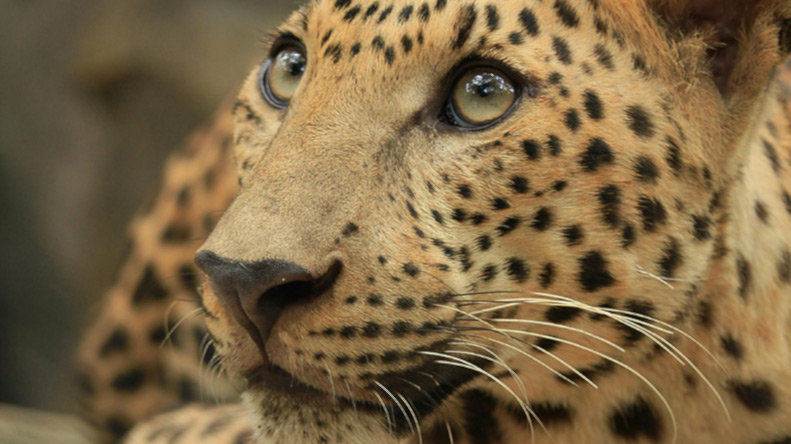
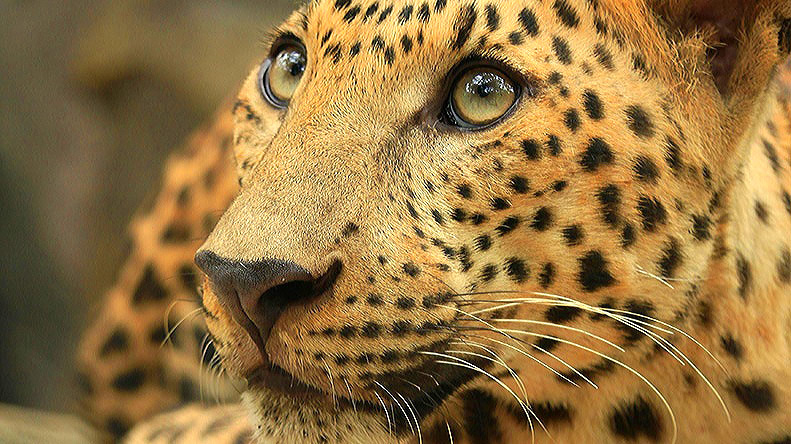
What Is Image Enhancement?
Image enhancement is the process of improving the visual quality of an image by adjusting factors such as brightness, contrast, sharpness, colour, and resolution.
Unlike simple editing, enhancement often combines multiple adjustments at once to produce a cleaner, clearer, and more visually appealing result. Some tools also use advanced algorithms to analyse images and automatically improve details, reduce noise, and restore clarity.
Common improvements include:
- Increasing brightness and correcting exposure
- Boosting contrast and colour vibrancy
- Sharpening edges and improving detail
- Reducing noise or grain
- Enhancing resolution and clarity
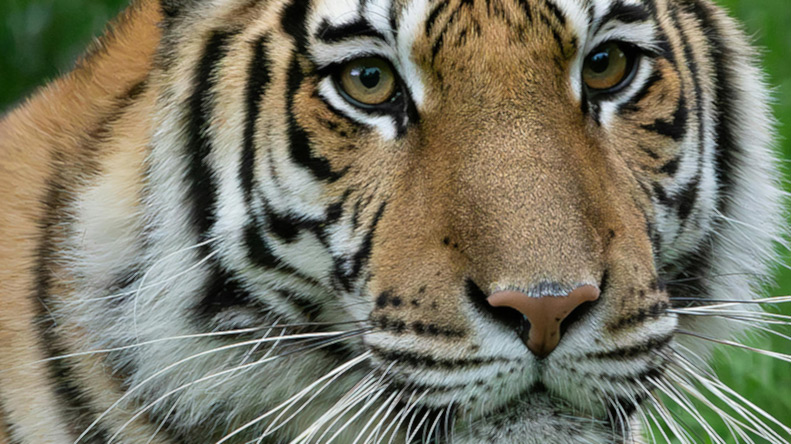
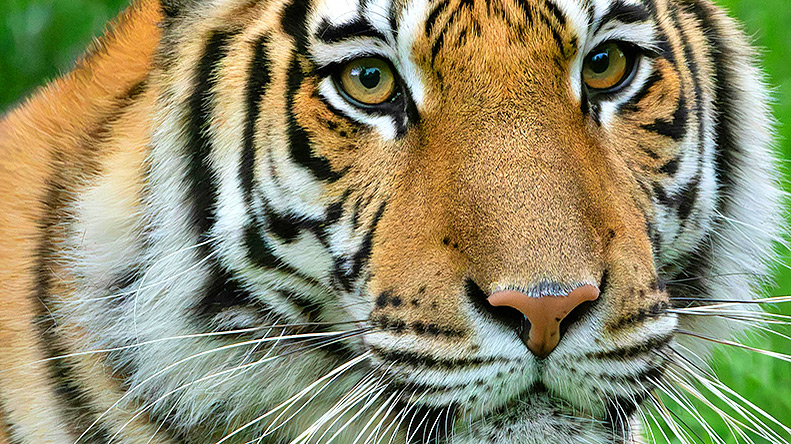
How It Works
Upload your image and the tool automatically enhances it by adjusting lighting, colours, and detail. The result is a clearer, more visually balanced image ready for download.
- Upload your image
- The tool analyses and enhances the image
- Preview the improved result
- Download the enhanced image
Key Features
- Automatic Image Enhancement: Improve image quality instantly
- Clarity and Detail Boost: Sharpen edges and refine textures
- Colour and Lighting Adjustment: Improve brightness, contrast, and vibrancy
- Noise Reduction: Clean up grainy or low-quality images
- Fast, Browser-Based Tool: No software required
Why Image Enhancement Matters
Images that are too dark, blurry, or low quality can reduce engagement and make content look unprofessional. Image enhancement improves visual clarity and makes images more appealing, helping them perform better in websites, social media, and marketing materials.
Enhancing images can:
- Improve visual quality and clarity
- Make photos more engaging
- Increase professionalism and trust
- Improve presentation and design impact
Modern enhancement tools can even restore details and improve resolution by intelligently refining pixel-level information.
Image Enhancement vs Other Tools
- Image Enhancer: Improves overall quality (lighting, colour, clarity)
- Image Sharpener: Focuses only on edge detail
- Image Compressor: Reduces file size
- Image Cropper: Removes parts of the image
For best results, image enhancement can be combined with other tools like the Image Compressor.
Common Use Cases
- Improving blurry or low-quality photos
- Enhancing product images for e-commerce
- Optimising images for websites and blogs
- Upgrading social media visuals
- Restoring old or faded images
- Preparing images for presentations or print
Example Improvements
- Dark image → brighter with balanced exposure
- Dull colours → more vibrant and vivid
- Soft image → clearer with enhanced detail
- Low resolution → sharper and more defined
The result is a cleaner, more professional-looking image that is ready to use.
Best Practices for Image Enhancement
- Avoid over-enhancing, which can make images look unnatural
- Start with the highest quality original image possible
- Combine enhancement with resizing or compression if needed
- Check results on different devices for consistency
- Use subtle adjustments for a natural look
When to Use This Tool
- When your image looks dull or low quality
- When preparing images for websites or social media
- When improving lighting or colour balance
- When restoring older or faded photos
- When creating more professional visual content
Why Use This Tool
Advanced image editing software can be complex and time-consuming. This tool simplifies the process by automatically improving image quality in seconds, making it accessible to anyone.
It is useful for designers, marketers, photographers, content creators, businesses, and anyone who wants better-looking images without technical expertise.
Frequently Asked Questions
What does an image enhancer do?
An image enhancer improves overall image quality by adjusting brightness, contrast, sharpness, colour, and detail.
Can an image enhancer fix blurry photos?
It can improve slightly blurry images by enhancing edges and clarity, but it cannot fully restore severely out-of-focus images.
Does image enhancement reduce quality?
No. When done correctly, enhancement improves visual quality while preserving natural details.
What is the difference between enhancement and sharpening?
Sharpening focuses only on edges, while enhancement improves multiple aspects of the image, including lighting, colour, and clarity.
Can I enhance images online for free?
Yes. This tool allows you to enhance images online without needing software or downloads.
Is image enhancement useful for websites?
Yes. High-quality images improve user experience, engagement, and overall presentation.