
Free Online Image Sharpener | Make Photos Clearer Instantly
Enhance your photos instantly with our free online image sharpener. Unblur pictures, increase clarity, and sharpen edges directly in your browser. 100% private and secure.
Sharpen Image Pro
Enhance details and crisp edges with a controllable sharpen brush. Everything runs locally in your browser.
or click "Select Image" on the left
Supports JPG, PNG, WEBP
Mouse wheel to zoom in/out
Space + drag, or middle-click to pan
R / B / E / H for modes
[ / ] to change brush size
Hold C to compare with original
Free Online Image Sharpener: Unblur Photos and Make Pictures Clearer
Struggling with a blurry photo? Our free online image sharpener is the ultimate solution to fix blurry pictures, unblur photos, and make pictures clearer in seconds. Whether you need to enhance the overall quality of a snapshot or use our precision brush to sharpen specific areas of a photo, this browser-based photo enhancer delivers professional results without requiring any software downloads.
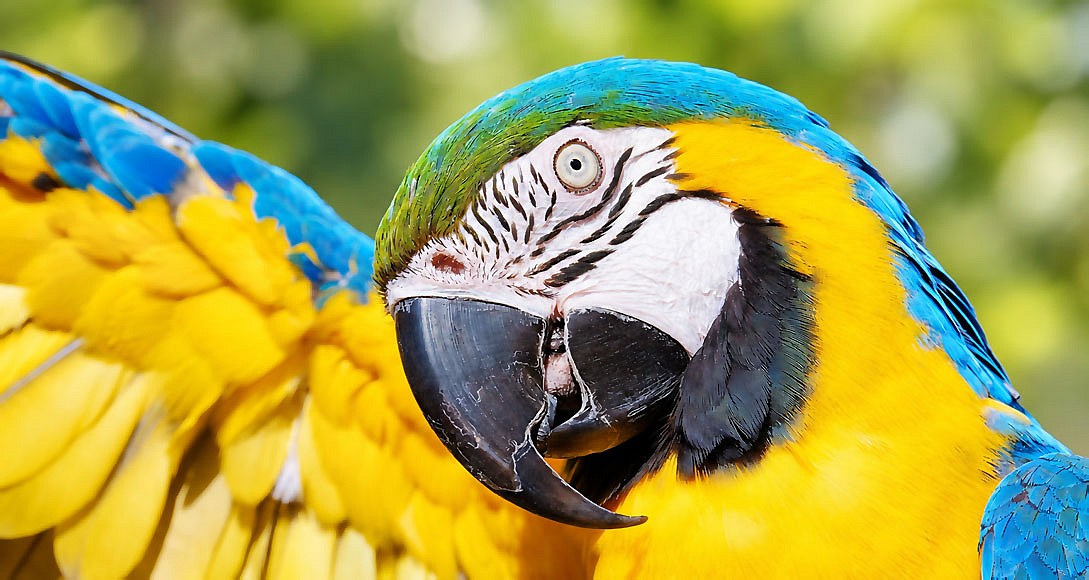
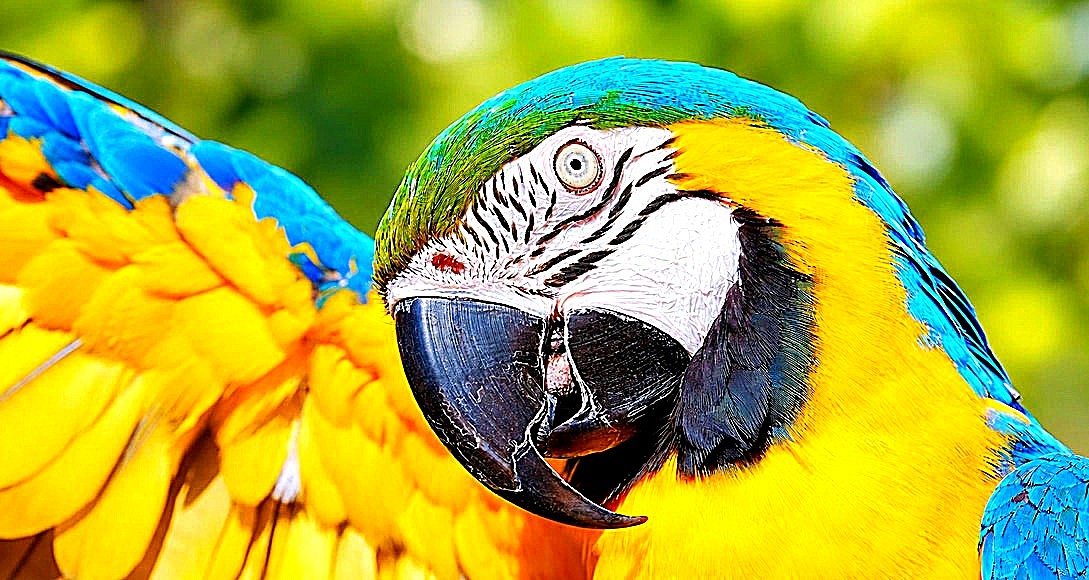
Core Features of Our Image Sharpener
| Feature | Description and Benefit |
|---|---|
| Selective Brush Tool | The ultimate way to sharpen specific areas of a photo. Paint the effect exactly where you need it without altering the rest of the image. |
| Global Sharpening | Instantly increase image clarity across the entire picture with a single toggle, perfect for overall soft photos. |
| Precision Eraser | Easily undo mistakes or unblur part of an image back to its original state if you over-sharpen a specific spot. |
| 100 Percent Private | All processing happens locally in your browser. Your files are never uploaded to a server, ensuring complete privacy. |
| Adjustable Strength | Fine-tune the intensity of the online picture sharpener to avoid harsh artifacts and maintain a natural look. |
| Brush Customization | Control brush size, hardness, opacity, and shape to blend the sharpening effect seamlessly into your photo. |
Deep Dive: How to Sharpen Specific Areas of a Photo
Often, an entire image is not blurry. You might just need to unblur a face in a group portrait, make text clearer in a scanned document, or enhance the intricate details of a product while keeping the background soft and out of focus.
Our tool features an advanced selective brush tool designed specifically to sharpen specific areas of a photo with pixel-perfect accuracy.
Mastering the Brush Controls
To get the best results when using the brush to increase image clarity in targeted zones, utilize the following settings:
- Brush Size: Adjust the diameter of the tool. Use a larger size for broad areas like a landscape foreground, and a smaller size for fine details like eyelashes or small text.
- Brush Hardness: Controls the softness of the brush edges. A hardness of 0 percent creates a soft, feathered edge that blends the sharpened area naturally into the unsharpened background. A hardness of 100 percent creates a sharp, defined edge.
- Brush Opacity: Determines the strength of the effect per stroke. Lowering the opacity allows you to build up the sharpening effect gradually, giving you maximum control to make pictures clearer without over-processing.
- Brush Shape: Switch between a circular brush for organic subjects and a square brush for architectural or geometric elements.
Pro Tip for Selective Sharpening: Always start with a lower brush opacity and a soft hardness setting. It is much easier to add more sharpening to a specific area by painting over it again than it is to fix an area that has been over-sharpened. Use the eraser tool to instantly restore original pixels if needed.
How to Unblur Photos in 4 Simple Steps
- Upload Your Image: Click the upload button or drag and drop your file into the workspace. We support all major formats, including JPG, PNG, and WEBP.
- Choose Your Method: Select the global toggle to sharpen an image online across the whole canvas, or select the brush tool to sharpen specific areas of a photo manually.
- Adjust and Apply: Use the strength slider to set the intensity. If using the brush, adjust your size and hardness, then paint over the areas where you want to unblur photos and enhance details.
- Download Your Enhanced Photo: Once you are satisfied with the results, click the download button to save your clearer picture instantly in high-quality PNG or JPG format.
Why Choose Our Online Photo Enhancer
There are many tools available on the web, but our image sharpener stands out for several critical reasons. First, it is completely free and requires no account creation. Second, the inclusion of the selective brush tool means you are not forced to apply a blanket effect that can ruin the natural look of your background. Finally, because the tool runs entirely on client-side technology, you can fix blurry pictures on any device with a modern web browser, and your data remains 100 percent secure.
Our Sharpen Image tool lets you sharpen your entire image or selectively sharpen specific areas using a brush, making it ideal when you want precise control over which parts of an image are enhanced. If you need to sharpen multiple images at once, or want more advanced global sharpening controls for batch processing, try our other Image Sharpener tool instead. It’s designed for quickly applying sharpening to multiple images while giving you greater control over the overall sharpening effect.
Frequently Asked Questions
Can I unblur part of an image without ruining the rest of the photo? Yes. By selecting the brush tool, you can sharpen specific areas of a photo selectively. This allows you to enhance the subject while leaving the background exactly as it was, ensuring a natural and professional final image.
Is this really a free image sharpener? Absolutely. This is a completely free online picture sharpener. There are no hidden fees, premium subscriptions, or watermarks added to your final result.
Will this tool fix heavily blurred pictures? While no software can magically recreate missing data from a severely out-of-focus image, our tool is highly effective at increasing image clarity, fixing mild motion blur, and sharpening edges to make photos look significantly crisper.
Is it safe to use this online photo enhancer? Yes. Because the image processing happens entirely within your local web browser, your files are never uploaded to the internet. It is the safest and fastest way to unblur photos and enhance your digital memories.
What is the best way to make text clearer in a scanned document? Switch to the brush tool, increase the brush hardness to 100 percent for a sharp edge, and carefully paint over the text. You can also increase the sharpen strength slider to maximize the contrast of the text edges, making it much easier to read.