
Online Image Quantizer & Color Compressor Tool
Transform and optimize your images with our advanced online image quantizer. Reduce color palettes to compress PNG files, extract custom color schemes, apply professional dithering algorithms, and create authentic retro pixel art directly in your browser.
Loading ...
Image Compressor & Color Reducer
Reduce file size with advanced color quantization. Optimize palettes, apply dithering, and create pixel-art styles.
Image
Export
1x (Original)
Drag & Drop your image here
or click "Select Image" on the left
Supports JPG, PNG, WEBP
100% (1:1)
Presets
Palette & Colors
Pixelation
Dithering
Adjustments
Background
#FFFFFF
Online Image Quantizer & Color Compressor Tool
Transform your images, reduce file sizes, and create stunning retro artwork with our advanced online image quantizer. Whether you need to compress a PNG by reducing its color palette, generate a custom color scheme, or create authentic 8-bit pixel art, this professional color reduction tool provides all the features you need directly in your browser.
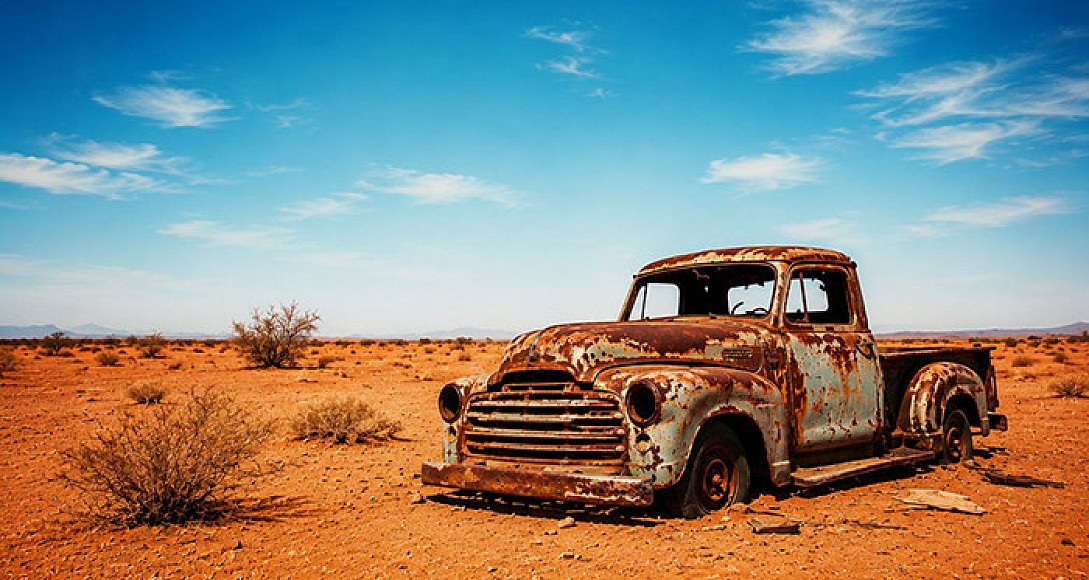
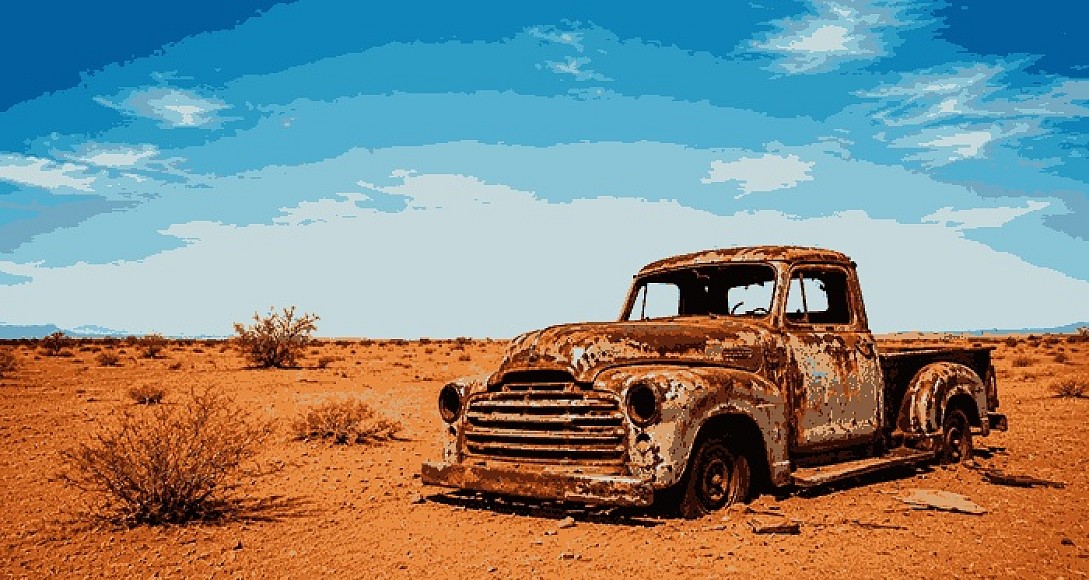
Quick Tip: Reducing the number of colors in an image is one of the most effective ways to compress PNG and GIF files without losing perceived visual quality. Use the Color Count slider to find the perfect balance between file size and image fidelity.
Core Features of the Image Quantizer
1. Advanced Color Quantization Algorithms
Not all color reduction methods are created equal. Our tool offers three professional color extraction methods to ensure your image looks perfect, regardless of how many colors you choose:
- Dominant Extraction: Analyzes the image and selects the most frequently occurring pixel colors. Best for photographs and complex images.
- Smart K-Means Clustering: The gold standard for palette generation. This mathematical algorithm iteratively groups similar colors to find the most accurate representation of your image, preventing muddy results at low color counts.
- Uniform Spectrum: Ignores color frequency and evenly distributes the palette across the luminance spectrum. Ideal for gradients and smooth transitions.
2. Professional Dithering Algorithms
When you reduce an image to a limited color palette (like 16 or 32 colors), banding can occur. Dithering solves this by mixing available colors to simulate shades that aren't actually in the palette.
| Dithering Algorithm | Best Used For | Visual Characteristics |
|---|---|---|
| None (Solid) | Flat design, vector art, logos | Clean, solid blocks of color. No noise. |
| Floyd-Steinberg | Photographs, smooth gradients | Smooth error diffusion. Minimal visible patterns, highly realistic. |
| Atkinson | Retro computing, Macintosh styles | High contrast, crisp edges. Only diffuses 75% of the error, creating a classic 1-bit/8-bit look. |
| Bayer Matrix | Pixel art, ordered dithering | Creates a distinct, predictable cross-hatch grid pattern. Highly stylized. |
| Random Noise | Artistic grain, textured effects | Adds an organic, film-grain texture to the color transitions. |
3. Pixelation and Block Size Control
Turn any high-resolution image into authentic pixel art or 8-bit retro game graphics. By increasing the block size, the tool averages the colors within each pixel block, creating that classic chunky, low-resolution aesthetic. Combine this with the Atkinson or Bayer dithering algorithms for the ultimate retro gaming look.
4. Custom Palette Generation & Management
Take total control of your image's color scheme.
- Extract up to 256 colors automatically from your uploaded image.
- Use the Manual Palette mode to input exact hex codes or choose from curated base palettes (Cyberpunk, Sunset, Ocean, Forest, Monochrome).
- Drag and drop to reorder your custom palette colors, ensuring the quantization maps to your exact specifications.
- Export your palette as a clean JSON file for use in other design software or game engines.
How to Reduce Image Colors and Compress Files
Achieving the perfect quantized image takes just a few seconds. Follow this simple workflow:
- Upload Your Image: Drag and drop a JPG, PNG, or WEBP file into the workspace, or click to select it from your device.
- Choose Your Color Count: Use the Colors slider or quick preset buttons (16, 32, 64, 128, 256) to dictate how many colors the final image will use. Lower numbers equal smaller file sizes.
- Select an Extraction Method: Choose between Dominant, K-Means, or Uniform to determine how the tool picks those colors.
- Apply Dithering (Optional): If your image looks banded or blocky, select a dithering algorithm like Floyd-Steinberg or Atkinson to smooth out the transitions.
- Fine-Tune Adjustments: Use the Contrast, Brightness, Saturation, and Hue Shift sliders to perfect the look before finalizing.
- Export: Download your optimized image as a PNG or JPG, copy it to your clipboard, or export it as a scalable, lightweight SVG.
Why Use an Online Color Quantizer?
Drastically Reduce File Sizes
High-color PNGs can be massive. By quantizing an image down to 256 colors (8-bit) or fewer, you can reduce file sizes by up to 80% while maintaining excellent visual quality. This is crucial for web performance, reducing server load, and improving page load speeds.
Create Authentic Pixel Art and Retro Styles
You no longer need complex software like Photoshop or Aseprite to create pixel art. Our tool instantly converts modern, high-resolution images into retro, 8-bit, or 16-bit style graphics using professional dithering matrices.
Extract Perfect Color Palettes for Design
Struggling to find a cohesive color scheme for your website or UI design? Upload a photo you love, set the color count to 5 or 6, and use the tool to extract a mathematically perfect, harmonious color palette. Export it as JSON to use in your CSS or design tokens.
Frequently Asked Questions (FAQ)
What is image quantization? Image quantization is the process of reducing the number of distinct colors used in a digital image. While a standard image might contain millions of colors (24-bit), quantization reduces this to a specific palette, often 256 colors (8-bit) or fewer. This reduces the file size and creates specific artistic styles.
How does reducing colors compress an image? Digital images store color data for every single pixel. If an image has millions of colors, the computer needs more bits to store that information. By restricting the image to a smaller palette (e.g., 16 or 32 colors), the file requires significantly less data to represent the image, resulting in a much smaller file size, especially for PNG and GIF formats.
Which dithering algorithm is best for pixel art? For authentic retro pixel art, the Atkinson and Bayer Matrix algorithms are the industry standards. Atkinson provides a high-contrast, crisp look famously used in early Macintosh systems and GameBoy games. Bayer creates a structured, ordered grid pattern that is highly favored in modern pixel art and demoscene graphics.
Can I extract a color palette from an image to use in web design? Yes. Upload any image, set the "Color Extraction" method to Smart K-Means or Dominant, and lower the color count to your desired number of web colors (e.g., 5 to 8). Once generated, you can click the JSON export button in the Export panel to copy the exact hex codes of your newly extracted palette.
What is the difference between Floyd-Steinberg and Atkinson dithering? Both are error-diffusion algorithms, but they handle the "leftover" color data differently. Floyd-Steinberg diffuses 100% of the error to neighboring pixels, resulting in a very smooth, photographic look with minimal visible patterns. Atkinson only diffuses 75% of the error and ignores two neighboring pixels, which results in a much higher contrast, crisper, and more stylized "retro" appearance.
Does this tool work on mobile devices? Yes, the image quantizer is fully responsive and works seamlessly on desktop, tablet, and mobile browsers. All processing is done locally on your device, meaning your images are never uploaded to a server, ensuring complete privacy and fast processing speeds.
0.0308