
Free Cross Stitch Pattern Generator | Image to DMC Converter
Create professional custom cross stitch patterns from any image. Snap to official DMC, Anchor, or Madeira floss colors, add 10x10 block grids, and export your chart and stitch counts instantly.
Loading ...
Cross Stitch Pattern Generator
Convert images to professional cross stitch charts. Snap to DMC, Anchor, or Madeira floss colors, add block grids, and estimate stitch counts.
Image
Pattern Info
Grid Size
0 x 0
Total Stitches
0
Finished Size
0" x 0"
0 x 0 cm
Est. Floss Needed
0 m / 0 yds
Based on 14ct fabric. (~1.2cm per stitch)
Pattern Legend
Load an image to see stitch count
Export
1x (Original)
Drag and Drop your image here
or click "Select Image" on the left
Supports JPG, PNG, WEBP
100% (1:1)
Presets
Floss Palette
DMC
MMCQ (Median Cut)
CIEDE2000
Fabric & Stitches
14 ct (Standard Aida)
Show Symbols (Printed Chart)
Chart Grid
Show 1x1 Grid Lines
Show 10x10 Block Grid
Show Edge Labels (A, 1, 2...)
Auto (Contrast)
Normal
Dithering
Adjustments
Background
#FFFFFF
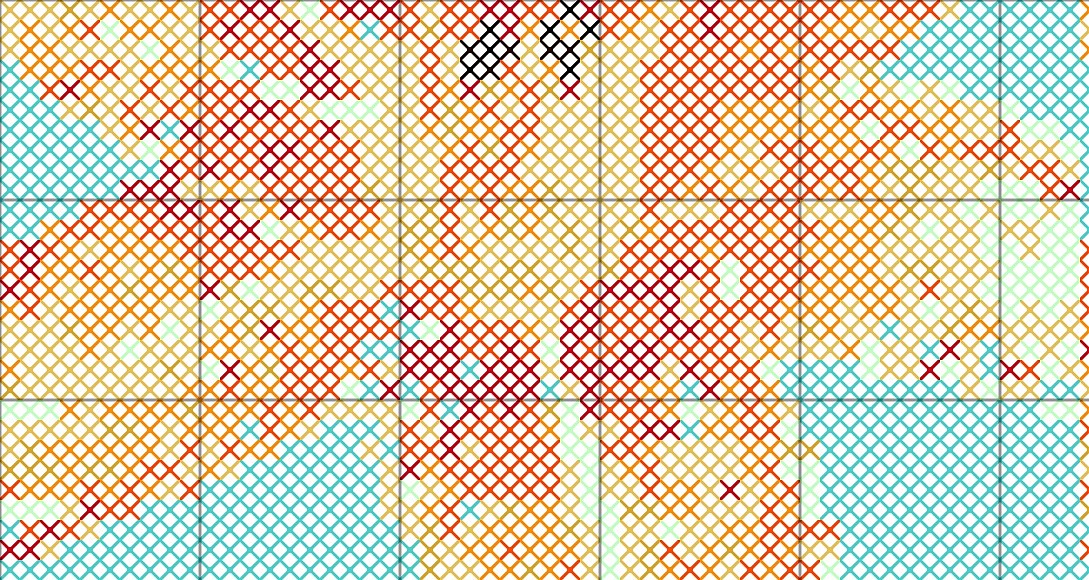
Welcome to the ultimate free cross stitch pattern generator. Whether you are a beginner looking to start your first embroidery project or a professional designer creating custom kits, our image-to-cross-stitch converter makes it effortless to transform your favorite photos, artwork, or digital designs into beautiful, printable embroidery charts.
Stop guessing your floss requirements. Our custom cross stitch design tool uses advanced color-matching algorithms to snap your image to official, real-world thread palettes, ensuring your final stitched piece looks exactly like your vision.
How to Convert a Photo to a Cross Stitch Pattern
Creating your custom chart takes just a few simple steps:
- Upload Your Image: Drag and drop your photo into the tool, or click to select a file (JPG, PNG, or WEBP).
- Choose Your Floss Brand: Select from industry-standard palettes, including DMC, Anchor, Madeira, or let the tool auto-extract a custom palette.
- Adjust Your Settings: Fine-tune the maximum number of colors, apply professional dithering algorithms (like Floyd-Steinberg or Atkinson) for smooth shading, and adjust brightness or contrast.
- Customize Your Grid: Enable professional charting features like 10x10 block grids, 1x1 grid lines, and alphabetical/numerical edge labels for easy reading.
- Export Your Pattern: Download your high-resolution chart as a PNG or JPG, and export your complete stitch count legend as a text file for easy printing or sharing.
Professional Features of Our Cross Stitch Chart Maker
| Feature | Benefit to the Stitcher |
|---|---|
| Official Floss Palettes | Matches your image to real DMC, Anchor, and Madeira thread codes so you know exactly what to buy. |
| Advanced Dithering | Uses professional algorithms to blend colors smoothly, reducing banding and creating realistic shading. |
| 12 Professional Stitch Shapes | Choose from full cross, half cross (tent stitch), backstitch outlines, French knots, and three-quarter stitches for advanced detailing. |
| Smart Grid Rendering | Auto-contrasting grid lines that adapt to light or dark backgrounds, complete with 10x10 block markers and edge coordinates. |
| Accurate Pattern Info | Instantly calculates total stitches, finished physical dimensions (inches/cm), and estimated floss consumption. |
Transform your digital memories into tangible, handcrafted art. Our free cross stitch chart maker ensures every single stitch is accounted for, giving you the confidence and clarity to start your next embroidery project without the guesswork.
The same photograph can work for more than one type of craft project. Try converting it into a diamond painting pattern or creating a perler bead pattern if you'd like to compare how different colour palettes and levels of detail affect the finished design.
Frequently Asked Questions
How do I convert a photo to a cross stitch pattern?
Simply upload your image using our image-to-cross-stitch converter above. The tool will automatically analyze the colors, map them to your chosen floss brand, and generate a visual grid chart along with a detailed stitch count legend.
Does this generator use real DMC floss colors?
Yes. Our DMC floss pattern creator mode uses the exact, verified hex codes of the official DMC thread catalog. The tool uses the CIEDE2000 color-difference formula, which is the industry standard for matching digital colors to physical threads with high accuracy.
Can I export the pattern legend and chart?
Absolutely. You can download your visual chart in high-resolution PNG or JPG formats. Additionally, you can copy or download your complete pattern key (including symbols, floss codes, stitch counts, and percentages) as a formatted text file, making it easy to print or share with fellow crafters.
Is this cross stitch grid generator free to use?
Yes, this is a completely free cross stitch chart maker. There are no watermarks, no hidden fees, and no limits on the number of patterns you can create and export.
Start designing your next masterpiece today. Upload your image above and let our cross-stitch pattern generator do the heavy lifting, so you can focus on the joy of stitching.
0.0633