
ICO Analyzer Pro: Free Favicon Inspector & Icon File Viewer
Analyze and inspect ICO files, including all icon layers, quality, and compatibility.
How It Works: Upload your ICO file to preview layers, check properties, and quickly extract individual icons.
Drop .ico file here or click to browse
Accepts .ico files up to 50 MB • Instant analysis
| # | Size | Bit Depth | Format | Alpha | Actions |
|---|---|---|---|---|---|
|
Upload an ICO file to see all embedded icon layers |
|||||
Coverage Score = Only size completeness (16x16,32x32,48x48,256x256).
Different metrics = different scores.
Analyze ICO files online to inspect icon sizes, layers, formats, and compatibility for websites and applications.
The ICO Analyzer helps you examine the structure of ICO files, including the different icon sizes, resolutions, and formats contained within a single file. ICO files are commonly used for favicons, application icons, and system icons, and they often include multiple versions of the same image for different use cases.
This tool allows you to check whether your ICO file is properly structured, contains the correct sizes, and meets compatibility requirements across browsers, devices, and operating systems.
What Is an ICO File?
An ICO file is a format used to store icons for websites and applications. It can contain multiple images at different sizes and colour depths within a single file, allowing systems to choose the best version depending on context.
For example, a single ICO file may include:
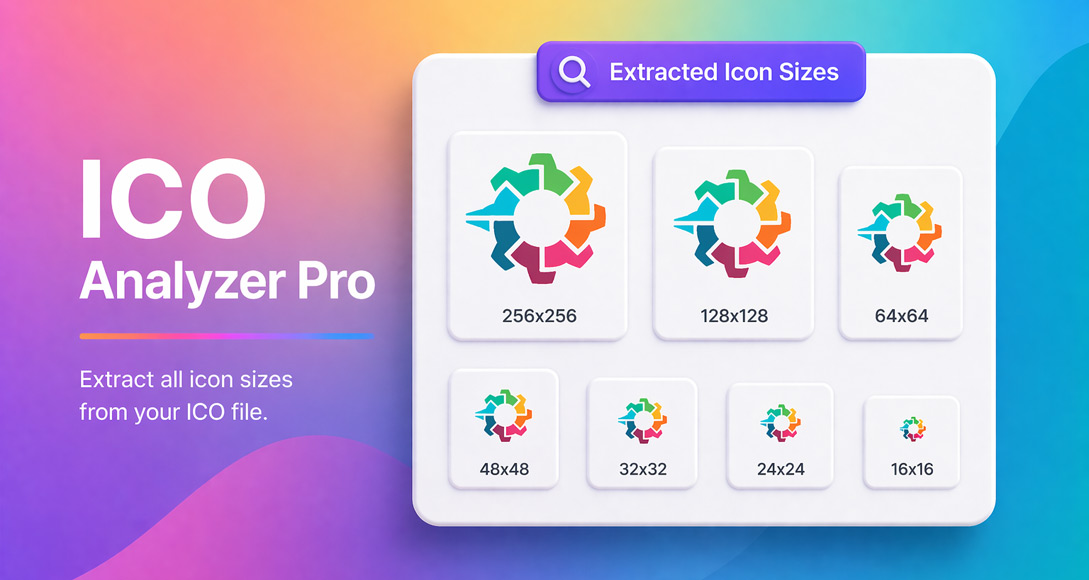
- 16 × 16 pixels (browser tabs)
- 32 × 32 pixels (bookmarks and UI)
- 48 × 48 pixels (desktop icons)
- Larger sizes for high-resolution displays
This multi-size structure is what makes ICO files especially useful for favicons and application icons.
What Does an ICO Analyzer Do?
An ICO analyzer examines the internal structure of an icon file and provides detailed information about its contents. This typically includes:
- All icon sizes are included in the file
- Image dimensions and resolution
- Colour depth (bit depth)
- Transparency support
- File structure and format
ICO files often contain multiple image layers, and analysing them ensures the correct versions are available for different platforms and use cases.
How It Works
Upload your ICO file, and the tool scans its structure to display all included icon sizes and technical details. You can then review the results to check compatibility and quality.
- Upload your ICO file
- The tool analyzes all icon layers and sizes
- View dimensions, formats, and technical details
- Identify any missing sizes or issues
Key Features
- ICO File Analysis: Inspect all icon layers within a single file
- Size Detection: View all included icon dimensions
- Format and Bit Depth Info: Check technical details for each layer
- Compatibility Insights: Ensure icons work across browsers and devices
- Fast, Browser-Based Tool: No installation required
Why ICO Analysis Matters
If an ICO file is missing key sizes or is incorrectly structured, it may not display properly across browsers, operating systems, or devices. This can result in blurry icons, missing favicons, or inconsistent branding.
Analyzing your ICO file helps ensure:
- All required icon sizes are included
- Icons appear sharp on different devices
- Favicons display correctly in browsers and search results
- Your website or app looks professional and complete
Incorrect favicon setup can also affect how your site appears in search results and across platforms.
Common Use Cases
- Checking favicon files before publishing a website
- Validating app or software icon files
- Inspecting ICO files from design tools or generators
- Debugging missing or blurry favicons
- Ensuring cross-platform icon compatibility
Example Checks
An ICO analyzer can help you identify issues such as:
- Missing standard sizes (e.g. 16×16 or 32×32)
- Low-resolution icon layers
- Incorrect format or bit depth
- Lack of transparency support
Fixing these issues ensures your icon works correctly across different environments.
ICO Analyzer vs Other Tools
- ICO Analyzer: Inspects file structure and icon layers
- Favicon Generator: Creates icon files from images
- Favicon Checker: Tests if a favicon works on a website
You can use this tool alongside the Favicon Generator to create and validate your icons.
When to Use This Tool
- Before uploading a favicon to your website
- When debugging icon display issues
- When working with ICO files from different sources
- When ensuring compatibility across devices and platforms
- When validating icon quality and structure
Why Use This Tool
Manually inspecting ICO files can be difficult because they contain multiple embedded images and technical details. This tool simplifies the process by showing everything clearly in one place.
It is useful for developers, designers, website owners, and anyone working with icons, favicons, or application assets.
Frequently Asked Questions
What is an ICO analyzer?
An ICO analyzer is a tool that inspects ICO files to display their internal structure, including sizes, formats, and image layers.
Why do ICO files contain multiple sizes?
Different platforms and contexts require different icon sizes. Systems automatically select the most appropriate size from the file.
What sizes should a favicon include?
Common sizes include 16×16, 32×32, and 48×48 pixels, along with larger sizes for modern devices.
Why is my favicon blurry?
This may happen if the ICO file does not include the correct size for the display or if the resolution is too low.
Can I use PNG instead of ICO?
Yes, modern browsers support PNG favicons, but ICO files are still widely used for compatibility.
How do I fix an ICO file?
You can regenerate the icon with the correct sizes or use a favicon generator to create a properly structured file.
Is this ICO analyzer free?
Yes. This tool allows you to analyze ICO files online without installing any software.